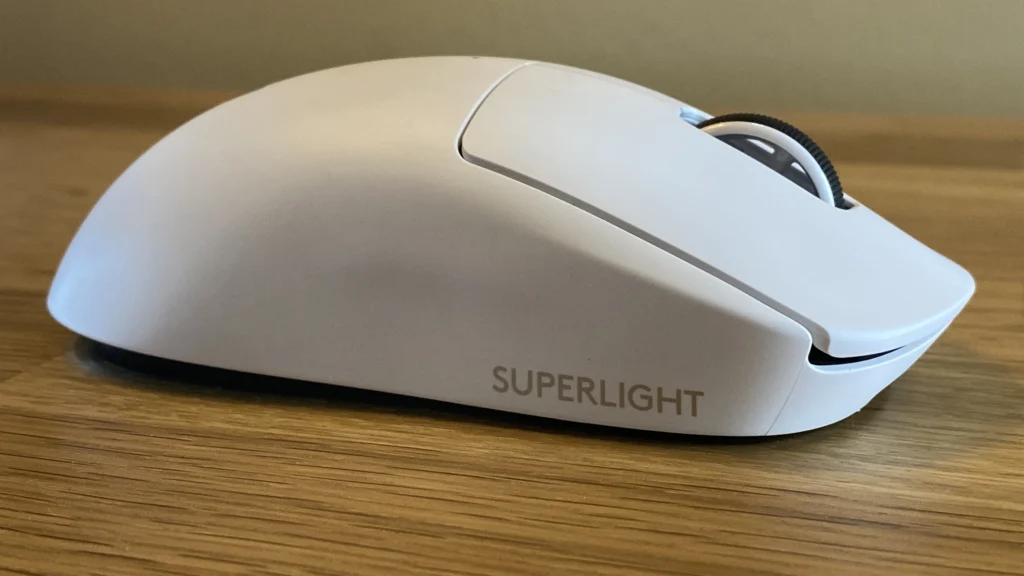

If you spend long hours at a Mac, choosing the right pointing device can dramatically improve comfort, accuracy, and speed. Whether you’re a designer, developer, student, or casual user, the decision often comes down to how well the mouse complements macOS gestures, keyboard shortcuts, and your desk setup. For many readers, the best mouse for mac becomes a balance between precision, ergonomics, and seamless macOS integration.
What to look for in a Mac-friendly mouse
Mac users should prioritize precise tracking on glass surfaces, excellent scroll behavior, and smooth multi-touch or gesture support that matches macOS expectations. A good Mac mouse should feel natural in the hand, offer adjustable DPI settings for both fine design work and quick navigation, and provide reliable Bluetooth or USB-C connectivity without lag. Battery life matters, too; a model that lasts days or weeks between charges reduces interruptions. Compatibility with macOS features like Mission Control, Trackpad-like gestures, and the macOS accessibility options can make or break the experience.
Beyond basics, consider the shape that fits your grip. Ambidextrous designs are versatile, but a purpose-built ergonomic shape can prevent fatigue during long sessions. Windows-oriented mice sometimes include extra buttons that aren’t useful on a Mac if drivers aren’t optimized; look for models that advertise macOS compatibility or come from brands known for Mac support. If you rely on a mouse for video editing, 3D work, or CAD, you’ll want reliable precision, programmable buttons, and a comfortable balance between weight and control.
Connectivity, compatibility, and setup tips
There are two main pathways: wireless Bluetooth mice or wired options that connect via USB-C or traditional USB dongles. For most Mac users, a stable Bluetooth connection is sufficient, especially on newer machines with updated Bluetooth stacks. If you frequently switch between devices, a mouse that easily pairs with multiple profiles and syncs through the cloud can save time. For desktop setups with a single Mac, a wired option can eliminate battery concerns and ensure consistent latency.
When setting up a new mouse, customize primary button behavior to match your workflow, map essential shortcuts to extra buttons, and enable macOS gesture controls if available. Don’t overlook software from the manufacturer that lets you adjust acceleration curves and scrolling speed. Testing a few different palm rests or grip styles can reveal hidden comfort issues before you commit to long-term use.
Top picks for the Mac ecosystem
For many Mac users, three categories tend to cover most needs: premium productivity, ergonomic comfort, and compact travel.
- Premium productivity: A high-precision model with excellent scroll behavior, multi-device pairing, and deep macOS integration for gestures and shortcuts.
- Ergonomic comfort: An offset or curved design that reduces strain during long editing or coding sessions, with programmable buttons for faster workflows.
- Compact travel: A lightweight option that still offers reliable Bluetooth connectivity and comfortable tracking on the go.
If you want to explore curated recommendations and read in-depth reviews tailored to macOS users, you can find more details at the Scitechwiz homepage. For direct product-focused insights, the best mouse for mac guide linked above consolidates models that consistently perform well with Macs.
Practical setup checklist
Before you buy, confirm compatibility with your Mac model and macOS version. Check for:
- Bluetooth version compatibility (4.0+ is common and reliable)
- Battery type and expected lifespan
- Programmable buttons and macOS integration
- Weight and grip style that suits your hand size
In the end, the best choice depends on how you use your Mac day-to-day. A well-chosen mouse enhances precision in design apps, accelerates navigation in code editors, and reduces wrist fatigue over hours of work. Remember to try a few options if possible, and prioritize comfort alongside performance.
For ongoing updates on peripherals and other Mac accessories, visit the Scitechwiz homepage: Scitechwiz.
